Business Central 29.1 & Persistent Copilot Agents: Finance Guide (Nov 2026)
Explore Update 29.1 in Dynamics 365 Business Central: Payables Agent vendor credit notes, fixed asset approvals, and persistent Copilot Studio workflows.
Ask any controller why month-end close drags past schedule, and the answer rarely involves complex GAAP or Ind AS adjustments. Delays almost always come from routine operational friction: tracking down missing vendor credit memos, waiting on email sign-offs for fixed asset entries, and manually tallying payment batches before uploading files to the bank. Individually, each task takes ten minutes. Together, they consume an entire week.
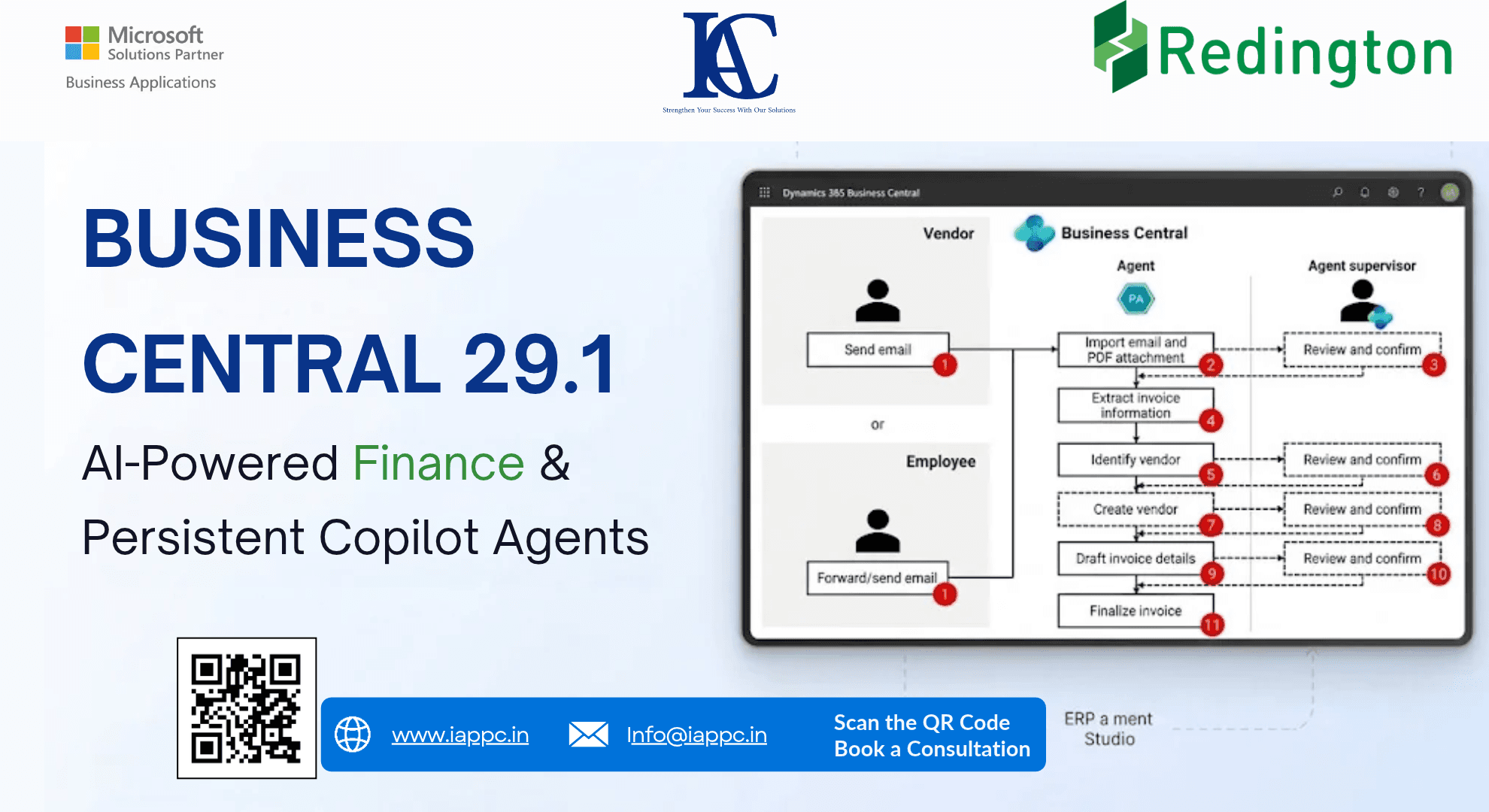
Microsoft’s November 2026 release wave addresses these exact handoffs directly inside the ERP. Between Dynamics 365 Business Central 29.1 (Build 29.1.57497) and the November 2026 Copilot Studio updates, finance teams can keep exception handling, approvals, and multi-day vendor follow-ups inside a single workspace rather than bouncing between Outlook, Excel, and the ledger.
1. Payables Agent Now Automates Vendor Credit Notes
Standard invoice automation usually breaks down the moment a supplier issues a credit memo instead of a regular bill. Historically, accounts payable clerks had to pull credit notes out of automated queues and key them in manually, inevitably during the busiest week of the settlement cycle.
With Update 29.1, Microsoft has expanded the Payables Agent to recognize, match, and draft vendor credit notes autonomously. Whether a credit memo arrives via email body or PDF attachment, the agent pairs it against the original purchase receipt and queues the draft entry for human sign-off. Instead of digging through inbox threads to reconcile short shipments or rate adjustments, your AP team simply reviews and posts the matched record.
2. Native Fixed Asset Approvals and Live Payment Batch Totals
Update 29.1 also introduces two practical controls aimed at tightening daily treasury and ledger discipline:
Fixed Asset Journal Approvals: Finance controllers can now route asset acquisitions, revaluations, and disposals through native Business Central approval workflows before any entry hits the general ledger. Spreadsheet sign-offs and email audit trails are no longer necessary.
Live Payment Journal Batch Totals: Accounts payable users get a real-time running total directly in the payment journal header. You can verify the exact payout figure before generating the bank file, eliminating the habit of exporting journals to Excel just to confirm a sum.
3. Persistent Copilot Studio Agents and Microsoft Foundry Integration
Coinciding with Microsoft Ignite (November 17–20, 2026), Microsoft rolled out persistent agents in Copilot Studio, alongside direct connectivity to agents hosted in Microsoft Foundry or built using the Microsoft 365 Agents SDK.
For Business Central finance teams, persistence solves a major limitation of early AI copilots: context loss. Previously, an agent workflow reset once a chat session ended. Now, an approval or vendor onboarding agent can pause when it needs a department head's sign-off in Microsoft Teams, hold its state for two days while waiting on a vendor's tax document reply, and resume the exact Business Central ledger step the moment those inputs arrive.
4. Cross-Environment Data Management (Public Preview)
Growing mid-market enterprises, especially Indian business groups operating multiple legal entities, regional branches, or dedicated UAT sandboxes, spend substantial admin hours keeping master data aligned across environments.
Update 29.1 introduces public preview capabilities for managing and synchronizing data across separate Business Central environments. While it promises cleaner configuration rollouts and consistent vendor/chart-of-accounts masters, treat it as a sandbox-first feature until Microsoft moves it to general availability.
Frequently Asked Questions
What are the main finance updates in Business Central 29.1?
Update 29.1 adds autonomous vendor credit note processing to the Payables Agent, native approval workflows for fixed asset journals, live batch totals in payment journals, and cross-environment data management in public preview.
How do persistent Copilot Studio agents work with Business Central?
Persistent agents retain workflow context across multi-day pauses, such as waiting for a Teams approval or an external supplier email, and automatically continue the ERP process once completed, governed by Microsoft Entra ID permissions.
How can Indian mid-market companies roll out Business Central 29.1 smoothly?
Partnering with a certified Microsoft Solutions Partner like Innovative TechPlus (IAPPC) ensures your Payables Agent rules, approval hierarchies, and Indian GST/TDS localization configurations are tested in a sandbox and deployed without disrupting live close cycles.