AI Invoice-to-Excel ERP Automation: What Warehouse Teams Told Us About Their Paperwork
Eliminate manual invoice typing and contract searching. Discover how Expense Genius and DocuMentor convert PDFs into ERP-ready Excel in seconds
A few weeks ago, our team at Innovative TechPlus stood at a warehousing industry event with a laptop and two products. We expected questions about features. Instead, we got people describing their week, and honestly, we learned more from that.
One operator talked about 300 supplier bills a month. A finance lead said a single 90-page agreement had eaten most of a week. Nobody was blaming their accounting software. They were frustrated with the gap between the documents arriving in their inbox and the systems that were supposed to hold that information.
That gap is what AI invoice-to-Excel ERP automation is meant to close, and it’s why we built Expense Genius and DocuMentor.
The invoice pile nobody planned for
Here’s how a normal transaction moves. A pro forma invoice goes out to confirm the deal. The goods arrive. The real invoice follows by email, sometimes as a clean PDF, sometimes as a phone photo someone forwarded on WhatsApp.
Then a person opens it, reads it, types it into Excel, types it again into the accounting system, prints it, files it, and checks it once more. At 100 invoices a month, that’s annoying. At 500, it’s a job.
Some of the businesses we met still kept invoice records in physical registers and notebooks. Others had a proper ERP or CRM and still did the typing by hand. The software wasn’t the problem. Getting the data into it was, and that’s what we couldn’t stop thinking about.
Expense Genius: a PDF-to-Excel invoice converter built for Indian bills
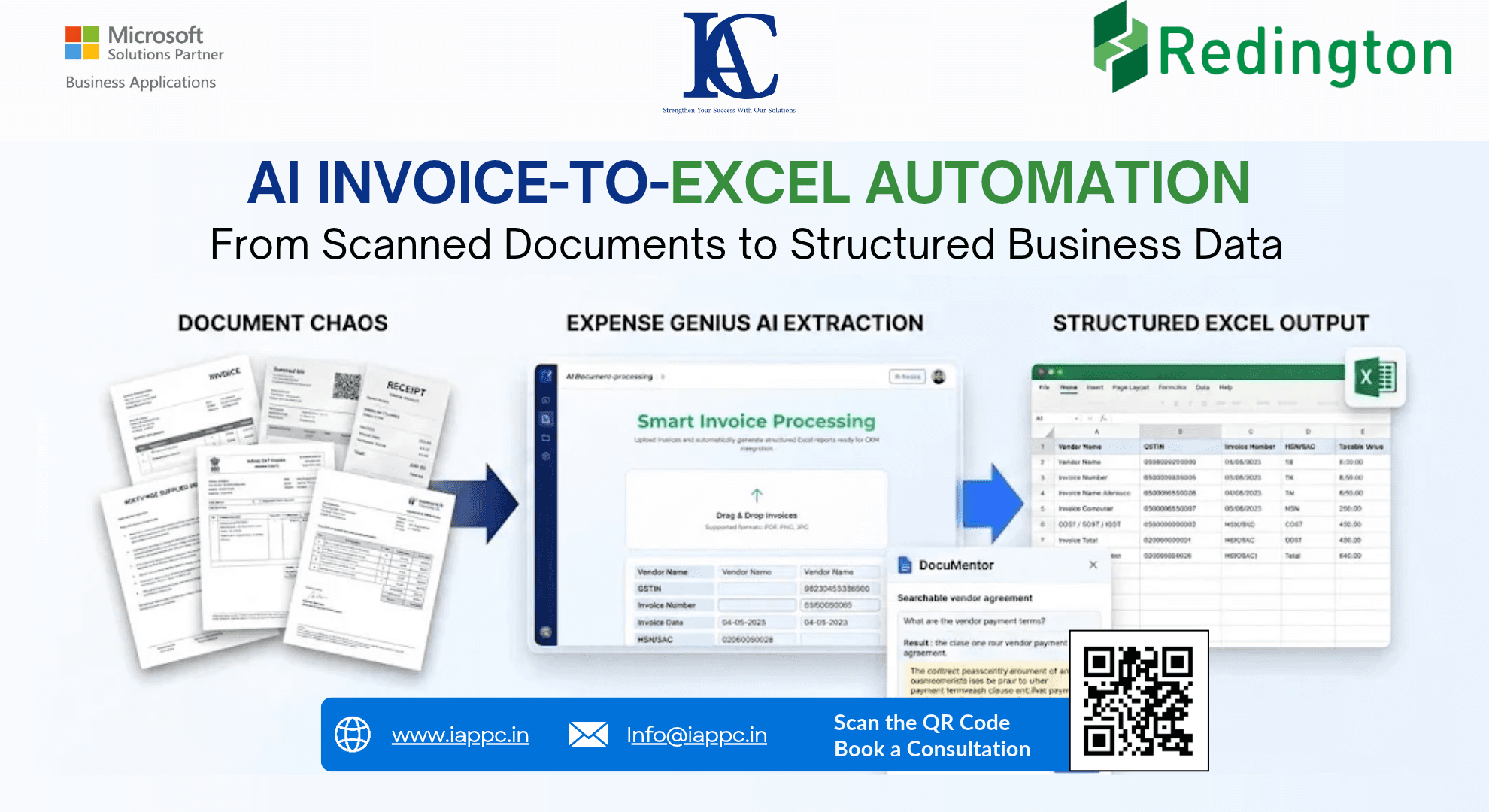
Expense Genius takes invoices and receipts, whether PDFs, scans, or photos, and turns them into structured Excel or CSV rows. You upload in batches. It reads the document and pulls out the fields your team would otherwise key in:
Vendor name and GSTIN
Invoice number and date
HSN/SAC codes
Taxable value
CGST, SGST and IGST splits
Line items and totals
Indian invoices are messy in ways we’ve seen up close. The GSTIN sits in a different corner on every vendor’s template. Item tables run across pages. Fuel and travel receipts arrive as crooked photos. That’s the reason generic OCR tools tend to frustrate finance teams, and it’s the reason automated invoice extraction India teams can rely on has to understand GST fields, not just read text.
The output is formatted so it can feed the accounting software, ERP, or CRM you already run, through whatever import or integration step you use today. We aren’t asking anyone to rip out their system. We just want to shorten the stretch of manual work before the data reaches it.
One honest note: we won’t tell you extraction replaces your accountant’s eyes, because it doesn’t. The point is that they review a finished table instead of building one from scratch.
DocuMentor: answers from a 100-page contract without the 100 pages
The second problem came up just as often, and it looked completely different.
A client sends over a work agreement. It runs 80 pages, maybe 100. Management wants to know if the deal makes money, whether the payment terms are fair, and what penalties are tucked into clause 14. So someone reads it, makes notes, and reports back. Then the questions start, the contract gets revised, and the whole thing repeats. Several people at the event told us this loop could take four to six days.
DocuMentor indexes your PDFs, scanned contracts, and internal SOPs, and lets you ask questions in plain English. For example:
What are the payment terms in this agreement?
Are there any penalty clauses?
What conditions could add cost on our side?
What exceptions does this document list?
Which clauses should management look at before signing?
You get answers drawn from the uploaded document, so nobody has to remember which page held which clause.
It doesn’t replace legal or commercial review, and we’d be worried if anyone thought it did. People who understand the deal still make the call. What changes is how fast they get to the relevant paragraph.
Where the two products meet
Invoices rarely sit alone. Before approving a payment, a finance manager often needs to check the rate card or payment term sitting inside a vendor agreement. Expense Genius gives you the invoice as clean rows. DocuMentor lets you check those rows against the contract without opening a folder of PDFs.
Different tasks, same root problem: useful information is locked inside documents, and people burn time prying it out.
Manual process vs. Expense Genius and DocuMentor
How it works
Upload. Drop in invoices, receipts, or contracts.
Review. Check the extracted table, or ask DocuMentor your questions.
Export. Send the Excel or CSV into your accounting or ERP workflow.
Who gets the most out of it?
Accounts payable teams with a steady flow of vendor bills. CA firms processing documents for several clients. Warehouse and logistics businesses where invoices and agreements pile up. Small and mid-sized companies that don’t have a data-entry department and shouldn’t need one.
Frequently asked questions
What file types does Expense Genius accept?
PDF invoices, scanned bills, and receipt images. The output is an Excel or CSV spreadsheet.
Does it extract GST and HSN/SAC details?
Yes. It captures GSTIN, HSN/SAC codes, taxable values, and the CGST, SGST, and IGST split, along with line items and totals.
Can I import the output into my ERP or accounting software?
The Excel and CSV files are formatted for import into accounting, ERP, and CRM workflows. Ask us during a walkthrough about your specific system.
How does DocuMentor work with Expense Genius?
Expense Genius turns invoices into spreadsheet data. DocuMentor answers questions across contracts, purchase agreements, and policy documents. Teams use them together to check an invoice against the terms behind it.
Does DocuMentor replace a lawyer?
No. It helps you find and understand clauses faster. Legal and commercial decisions still belong to the right people.
Is my data secure?
Talk to our team about how documents are stored and accessed before you upload anything sensitive. We’ll walk you through it.
See it on your own documents.
The best test is a real one. Bring a handful of your own invoices and one long agreement, and watch what comes back.
Book a 15-minute walkthrough or explore Expense Genius at docugenius. in.
Production Concept Notes
Concept 1 (1200x630): Split visual showing a stack of PDF vendor invoices on the left transforming cleanly into a structured Excel table inside Expense Genius on the right. Deep navy (#0C2977), gold accent (#F4B942).
Concept 2 (800x500): DocuMentor search interface highlighting an extracted vendor payment-term clause from a 40-page PDF contract.