The Day the ERP Stopped Waiting to Be Told What to Do
Business Central 29.0 brings AI agents, a unified Copilot chat, and a faster data model. See what's changing in this ERP release and what to test first.
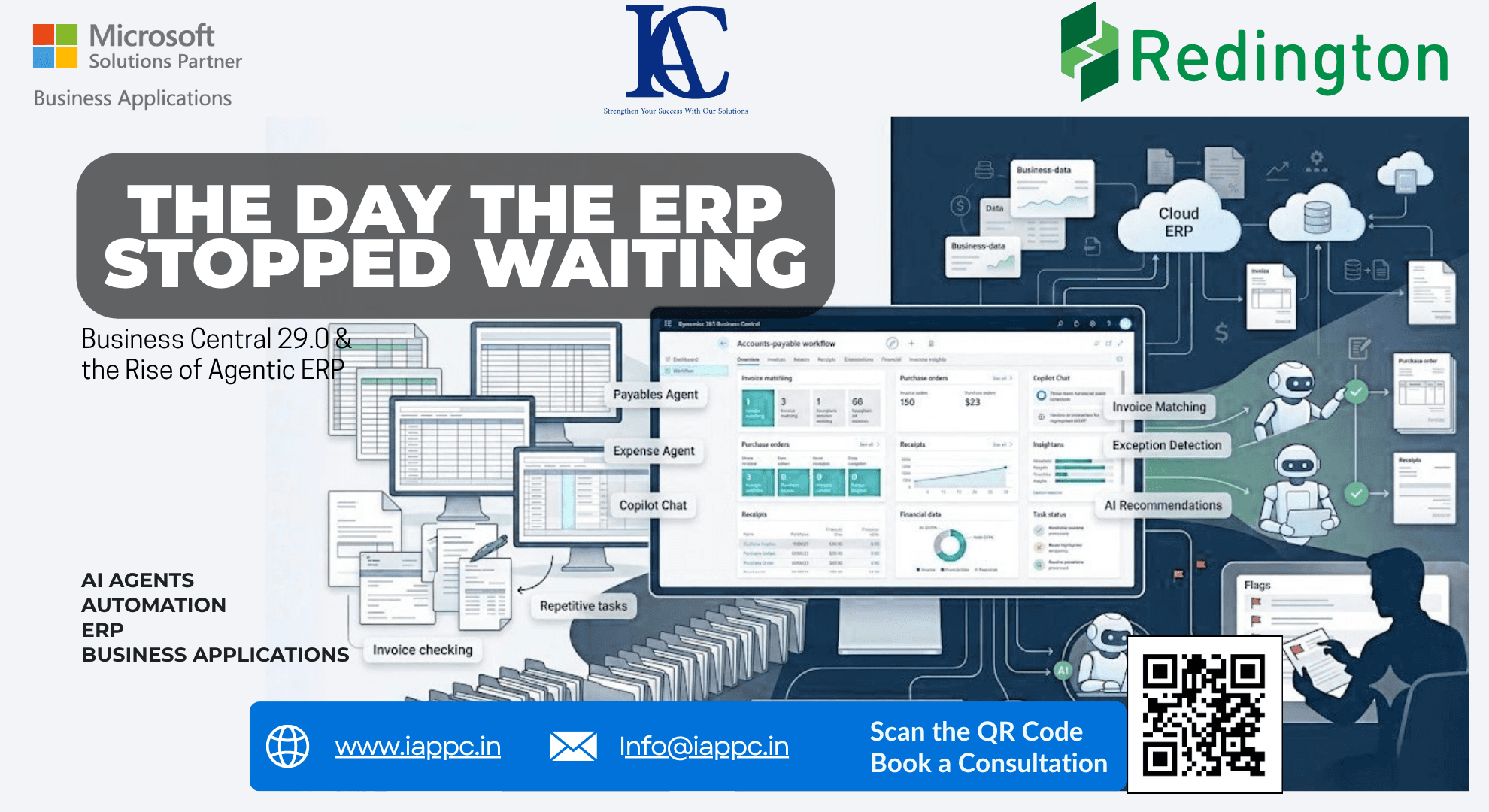
Priya is a fictional character used here to illustrate a realistic Business Central workflow, not a real customer or case study.
Priya had run the same Monday morning ritual for six years.
Coffee first. Then the accounts payable queue in Business Central. Then the slow, familiar grind of matching invoices to purchase orders, chasing down a receipt that didn't quite line up, and flagging the three or four exceptions that always seemed to eat her whole morning.
This past Monday was different.
She opened Business Central and the invoice queue had already been sorted. Most of the routine matches were done. A short list of genuine exceptions sat at the top, each one flagged with a reason. Priya spent her morning solving problems instead of hunting for them.
That small shift in her Monday is really a story about Business Central 29.0, and it says a lot about where enterprise resource planning is headed in 2026.
From a Screen You Operate to a System That Works With You
For most of ERP history, the software has been something people operate. You open a screen, you enter data, you reconcile, you check exceptions, you run a report. The system waited for instructions at every step.
Business Central 29.0 nudges that model in a new direction. Instead of only recording what happened, the ERP starts to participate in getting the work done. This is the heart of the Business Central 29.0 features worth paying attention to in this release wave.
Microsoft is careful to frame this correctly: at the time of writing, these capabilities are in public preview, intended for Business Central Online sandbox environments rather than production use, with general availability expected in the first week of October 2026. That distinction matters. Preview is a place to learn, not a place to bet the quarter-end close, and it's worth comparing this release against what changed in Business Central 28.0 to see how quickly the platform is moving.
Meet the Agents: Priya's New Coworkers
The most visible part of the story is the growing use of Business Central AI agents, a category of tools you can explore on IAPPC's AI Products page.
An agent is different from a chatbot. A chatbot answers questions. An agent participates in a defined business process, quietly, in the background, the way a diligent junior colleague would.
In 29.0, the improved Payables Agent experience does better purchase-order matching using line amounts and expected receipt dates, and it aligns draft finalization with the "Receipt on Invoice" setting. Microsoft is also building out an Expense Agent, which handles receipt intake, extraction, categorization, itemization, and expense-line creation before anything reaches a human reviewer.
For Priya, that translates into a simple change in her job description. She used to ask, "Does this invoice match?" Now she asks, "Why doesn't this one match?" The routine work gets executed. The judgment work stays with her.
A Conversation, Not a Maze of Screens
The second thread in Priya's story is how she now talks to her ERP.
Business Central 29.0 introduces a unified Business Central Copilot chat experience, bringing together business data, web results, and general knowledge in one conversational interface. Instead of remembering which report lives under which menu, Priya can simply ask which purchase orders are delayed and which suppliers are driving the impact.
That's a meaningful change in how people access enterprise software. Screens don't disappear, but they become one option among several: natural language, agents, automated workflows, and traditional interfaces working alongside each other. Intelligence starts to matter more than navigation.
The Quiet Fix Nobody Notices Until It's Gone
Not every improvement in 29.0 is about AI. One of the more consequential changes lives underneath the interface entirely.
Business Central is introducing a new data model for table extensions, where fields from AL table extensions are stored in the same physical database table as the base table. Microsoft says this produces faster data loading and faster database operations, and it lets developers define keys spanning both base and extension fields.
For any organization that has spent years layering custom fields, industry-specific workflows, and integrations onto Business Central, this is the equivalent of Priya finally getting a faster laptop. It doesn't do her job for her, but it removes friction from everything else.
The Roadmap Itself Is Changing Shape
There's a fourth twist in this story that has nothing to do with features at all.
Beginning in September 2026, Microsoft is retiring the traditional twice-yearly Release Plans for new Dynamics 365, Power Platform, and Dataverse capabilities, moving new announcements to its ongoing AI at Work roadmap. Existing release plans remain available for reference.
That's a sign of how fast AI-driven development moves compared to the old six-month release wave. For ERP leaders, it means the planning cycle can no longer be a once-a-year exercise. Evaluating, testing, and governing new capability has to become continuous.
Sustainability Joins the Ledger
The final piece of Priya's world involves numbers that didn't used to live in the ERP at all.
Business Central 29.0 expands sustainability functionality, including EUDR certification information for items, carbon-footprint estimation in service management, carbon-footprint tracking for fixed assets, and sustainability ledger-entry reversal capabilities. Environmental data is moving from a side spreadsheet into the same system that tracks invoices and inventory, connected, auditable, and part of the daily transaction flow rather than a quarterly reporting scramble.
What This Means Before You Upgrade
None of this means AI automatically makes an ERP smarter. An agent layered onto a messy process, unreliable master data, or unclear approval rules just reproduces the mess faster. The right sequence is still process, then data, then ERP, then integration, and only then AI and automation, wrapped in real governance.
For organizations running Business Central, the useful questions this release wave raises aren't about the version number. They're about which workflows are genuinely repetitive enough for an agent to help with, whether the data foundation can support that help, and where human approval needs to stay firmly in the loop.
Priya's Monday got a little easier. The bigger opportunity is deciding, deliberately, how many more Mondays like that your organization is ready for.
Schedule a Business Transformation Consultation to find out where Business Central 29.0 could create real value for your team.
FAQ
When will Business Central 29.0 be generally available?
Microsoft currently expects Business Central 29.0 to reach general availability in the first week of October 2026. Until then, it remains in public preview for Business Central Online sandbox environments and is not intended for production use.
What is the difference between a Copilot chatbot and a Business Central AI agent?
A chatbot mainly helps users find information or generate a response. An agent is designed to participate directly in a defined business process, for example, the Payables Agent matching invoices to purchase orders, or the Expense Agent handling receipt intake and categorization, carrying out defined steps rather than just answering questions.
Should our organization enable Business Central 29.0 features in production right away?
Not immediately. Microsoft explicitly positions the 29.0 preview for sandbox testing, not production use. It's worth using the preview period to test compatibility, evaluate which AI-assisted workflows fit your processes, and review your data foundation before moving anything into production once general availability arrives.