Microsoft Dynamics 365 Business Central 2026 Release Wave 2: Key Updates in Version 29
Explore Dynamics 365 Business Central 2026 Release Wave 2 (version 29): Copilot, Sales Order and Expense Agents, Fabric mirroring, reporting, supply chain and more.
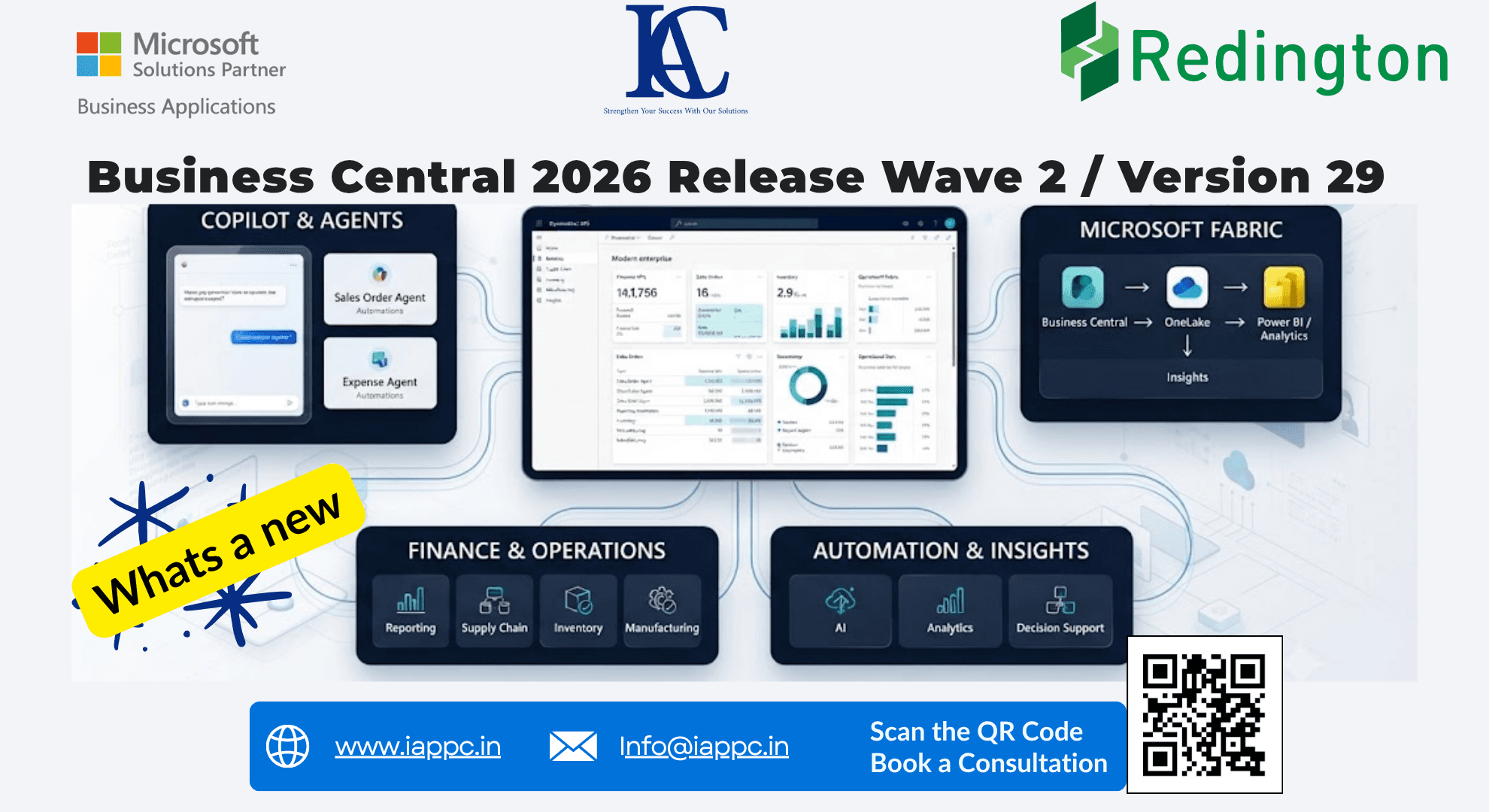
Business Central 2026 Release Wave 2 (version 29) moves the platform from a system that records transactions toward one that helps teams capture, process, analyze, automate and decide. The headline additions are a unified Copilot chat experience, new Sales Order and Expense agents, Business Central mirroring to Microsoft Fabric (public preview), stronger financial reporting, enhanced subcontracting, Shopify Connector improvements, sustainability tools and better admin and developer tooling.
Microsoft's readiness material includes more than 30 sessions covering these capabilities. This guide summarizes what matters and how to decide what to adopt.
What Is New in Business Central 2026 Release Wave 2?
The release concentrates on these areas:
AI, Copilot and Business Central agents
Finance and financial reporting
Supply chain and manufacturing
Microsoft Fabric integration
Sustainability management
E-commerce and Shopify integration
Electronic documents and taxation
Administration and environment management
Developer and testing capabilities
User experience and data analysis
1. AI and Copilot Take a Bigger Role
Microsoft Copilot Chat in Business Central
Business Central now offers a more unified Microsoft Copilot chat experience that works with business data, user context, user permissions and newer AI models. With the appropriate Copilot licensing, responses can also draw on Work IQ, which reasons across meetings, emails, chats and files.
The result: users can ask questions of their business information in natural language rather than relying only on menus and reports.
Sales Order Agent
The Sales Order Agent uses AI to accelerate sales order processing, reducing manual work between a customer request and ERP order creation. It is especially relevant for businesses with high order volumes, frequent enquiries and repetitive order entry.
Expense Agent
The Expense Agent brings AI-assisted expense management, including:
Receipt capture and AI extraction
Expense categorization and expense reports
Approvals and policy validation
Duplicate detection
Mileage handling and project expenses
Mobile experiences are included in preview. For finance teams, receipts and employee submissions can become structured, processable ERP data with far less manual intervention.
2. Microsoft Fabric Integration (Public Preview)
Business Central mirroring to Microsoft Fabric arrives in version 29.x as a public preview. Business Central data can be mirrored into Fabric's OneLake and used with Power BI, Data Factory, Synapse, Real-Time Intelligence and other Fabric workloads.
ERP → OneLake → Analytics → AI → Business Decisions
For CFOs and operations leaders, this supports better visibility into revenue, inventory, receivables, profitability and operational performance.
3. Improved Financial Reporting
New capabilities make reports easier to design, manage and distribute:
Better report design and report packs
Financial report governance and automatic change logging
Multiple reports combined into a single PDF
Improved report inbox APIs
Better visibility into account usage and improved analysis views
Word Layout Enhancements
Word-based document reporting gains a data picker, table builder, design controls and conditional "Hide if" functionality, helping standardize customer-facing and internal documents.
4. Composite Document Layouts
Composite document layouts let businesses create professional, branded documents without code. The release highlights 8+ header and footer layouts and 50+ body layouts that can be mixed and matched, making customization accessible to business users and implementation teams.
5. Cross-Environment Master Data Management
For organizations with multiple environments or subsidiaries, a source environment such as headquarters can publish master data through a read-only feed that subsidiary environments pull. Use cases include item data, customer and vendor information, shared setup data and multi-company operations, resulting in more consistent master data.
6. Supply Chain and Manufacturing
Enhancements span subcontracting, inventory transfers, warehouse operations, manufacturing workflows, product quality, inspection processes, cost allocation and work-in-progress inventory.
Enhanced Subcontracting
Multiple component supply models
Work-in-progress inventory tracking
Integrated warehouse handling
Supplier instructions and documentation
Enhanced pricing and cost allocation
Manufacturers using subcontractors gain visibility from material supply through the outsourced operation.
7. Shopify Connector Improvements
Expanded B2B capabilities, including company and catalog management
Improved pricing and order processing
Better returns and exchanges
Improved API error tracking and skipped-record tracking
Shopify tax matching (preview): AI-powered matching for U.S. sales tax scenarios analyzes tax information imported from Shopify and matches orders to the appropriate tax areas and jurisdictions.
8. Sustainability Management
Sustainability becomes more operational:
Sustainability calculations directly in purchase documents
Scope 3 emissions tracking at lot and serial-number level
Value-chain emissions tracking and better ESG information
Improved entry management and easier reversal of entries
Emissions data connects to operational transactions instead of living in separate spreadsheets.
9. EUDR Certificate Capture
EUDR Certificate Capture helps businesses capture and trace information required by the EU Deforestation Regulation. Certificate evidence can be associated with the goods it describes and traced from posted entries. Covered commodities include cattle, cocoa, coffee, oil palm, rubber, soya and wood.
10. Administration Improvements
PTE management: upload, install and update Per-Tenant Extensions through the Admin Center.
Database exports: better reliability and visibility in Environment Operations, including for large and multi-company environments.
Production-like sandbox configuration: temporarily match sandbox database settings to a typical production environment for performance testing.
11. Self-Billing and Tax Enhancements
Self-billing: the customer creates the invoice for goods or services received and the vendor receives payment. Setup covers vendor self-billing agreements, purchase and payables configuration, invoice numbering, reports and self-billing invoice types.
Excise tax: support for multiple excise taxes per item, bonded locations, improved duty calculation, transfer entry support, item-category-based setup, and specific, ad valorem and hybrid calculations.
12. Localization and Regional Updates
Examples highlighted by Microsoft:
Veri*Factu enablement in Spain
E-invoicing in France
Payment Times functionality for Australia and Great Britain
Intrastat reporting improvements in Germany
QR invoice address improvements in Switzerland
SAF-T enablement for Austria and Iceland and additional audit-file capabilities
13. Developer and Testing Improvements
Page Scripting is now generally available. Users and consultants can record and replay actions in the Business Central web client for user acceptance testing and repeated process validation, without writing AL code. Additions include multi-selection in grids, text validation in dialogs, improved localization and accessibility improvements.
Agentic development combines AI agents with source-code understanding, debugging, telemetry and performance profiling to move from issue detection to root-cause analysis and resolution.
14. Database, Security and Performance
Version 29 includes database performance improvements, inline table extension storage, new index-management capabilities, better permission visibility, partner telemetry and security enhancements around Open in Excel actions. These are less visible to end users but matter for stability and maintainability.
Which Capability Solves Which Problem?
Who Should Pay Attention?
CFOs and finance teams, CEOs and business owners, COOs and operations teams, supply chain leaders, manufacturers, distributors, e-commerce businesses, IT leaders, Business Central administrators and ERP implementation teams.
How to Prepare for Version 29
Avoid treating every new feature as something to implement immediately. Assess the release against your existing processes.
Identify process gaps. Look for dependence on Excel, email, manual data entry, repetitive approvals, separate reporting systems and manual reconciliation.
Map new capabilities to those gaps.
Evaluate AI opportunities. Decide where agents or Copilot can reduce repetitive work while keeping appropriate permissions and human oversight.
Review your data architecture. If analytics needs are growing, assess how Business Central connects with Fabric, Power BI and other Microsoft data services.
Plan the upgrade and adoption with your implementation partner, covering compatibility, customizations, extensions, integrations and user adoption.
The Bigger Picture: From ERP to Intelligent Business Platform
The key takeaway is the direction of the platform, not one feature. AI agents reduce repetitive work, Fabric connects ERP data to analytics, better reporting makes financial information easier to consume, supply chain upgrades improve visibility, and sustainability tools tie environmental data to transactions.
The right approach is to start with the business process, not the feature: Understand → Simplify → Automate → Implement.
Want to know which version 29 capabilities fit your business? Speak with a Microsoft Dynamics 365 Business Central partner to review your processes, customizations and integrations and build an adoption roadmap.
Frequently Asked Questions
What is Microsoft Dynamics 365 Business Central 2026 Release Wave 2? Microsoft's 2026 Release Wave 2 update for Business Central, introducing new capabilities across AI, Copilot, finance, supply chain, reporting, administration, e-commerce, sustainability and development.
What is new in Business Central version 29? Copilot Chat, Sales Order Agent, Expense Agent, Microsoft Fabric integration, enhanced financial reporting, subcontracting improvements, Shopify enhancements, sustainability capabilities and improved administration and development tools.
Does Business Central 2026 include AI? Yes. The release expands Copilot and agent capabilities, including Microsoft Copilot Chat, Sales Order Agent and Expense Agent.
Can Business Central connect with Microsoft Fabric? Mirroring to Fabric is introduced in version 29.x as a public preview, letting Business Central data flow into OneLake for analytics and other Fabric workloads.
Is Page Scripting available now? Yes. Page Scripting is generally available in this release.
Should existing customers upgrade to version 29? Evaluate the new capabilities against your requirements, customizations, extensions and integrations before planning an upgrade or adoption strategy.
How can a Business Central partner help? A partner can assess your current environment, identify relevant capabilities, review customizations and integrations, and create an upgrade and adoption roadmap based on your priorities.