Beyond the Ledger: 7 Microsoft Dynamics 365 Business Central Features That Transform Workflow Efficiency
how Assemble-to-Project in Microsoft Dynamics 365 Business Central improves inventory efficiency, cash flow, project visibility, and profitability.
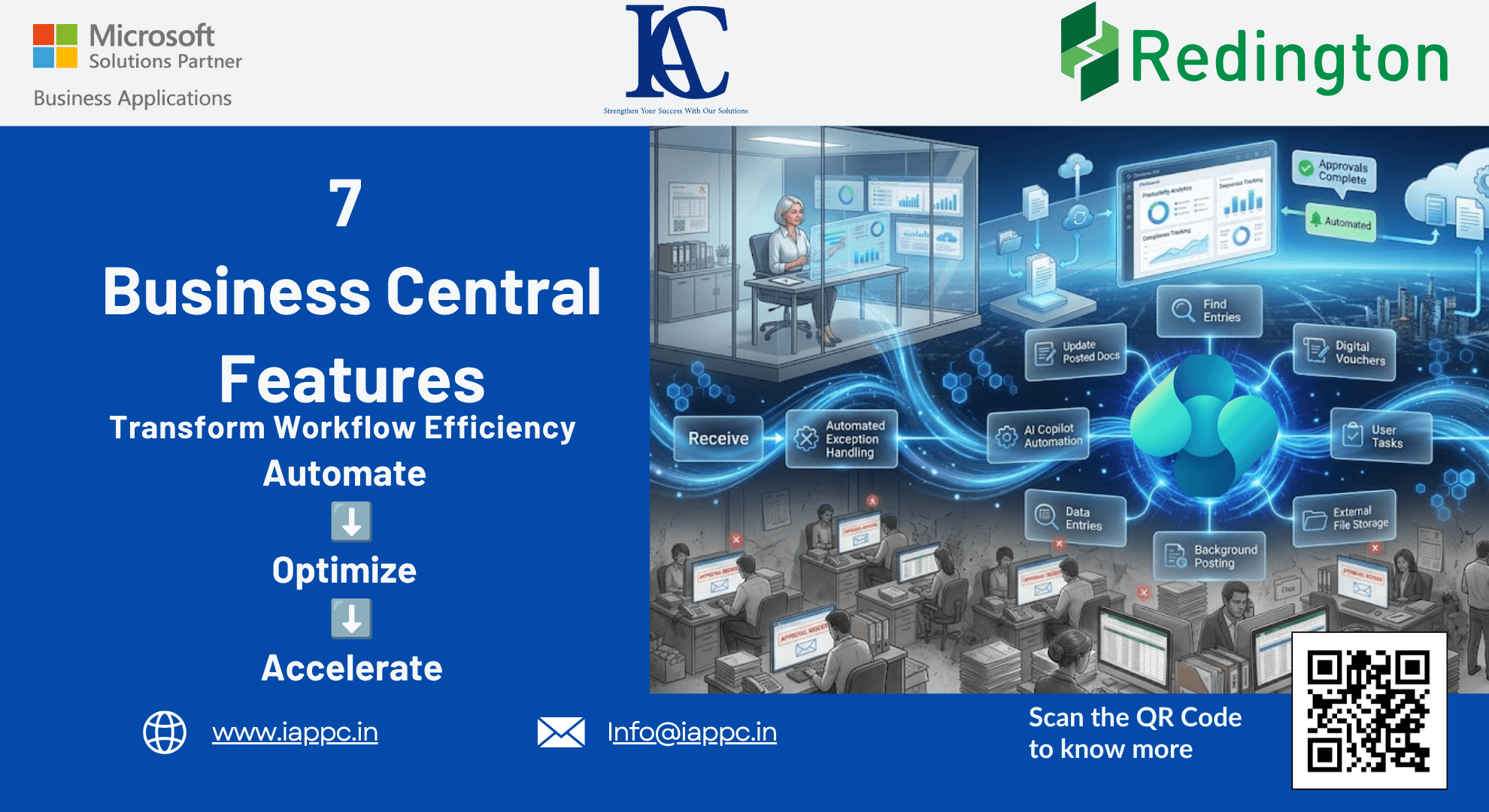
Why Most Organizations Only Use a Fraction of Their ERP Investment
For many businesses, an ERP system becomes little more than a digital record-keeping tool.
Employees enter transactions, generate reports, and complete routine processes every day.
Yet despite significant investments in enterprise technology, organizations often continue to struggle with:
Manual data entry
Slow approval processes
Fragmented information
Compliance challenges
Administrative bottlenecks
The reality is that many organizations use only a small percentage of the functionality available within Microsoft Dynamics 365 Business Central.
As a result, teams spend valuable time performing tasks that the system can already automate.
The organizations that achieve the greatest return on their ERP investment are not simply using Business Central—they are actively designing workflows that reduce manual effort, improve governance, and accelerate decision-making.
Here are seven powerful Business Central capabilities that can help transform your ERP environment into a productivity engine.
The Hidden Cost of Manual ERP Processes
Many growing organizations encounter three common challenges:
Major Challenge: Administrative Inefficiency
Employees spend excessive time on repetitive tasks that could be automated.
Medium Challenge: Limited Process Visibility
Finding information across multiple ledgers and transactions often requires manual investigation.
Minor Challenge: Compliance and Documentation Gaps
Supporting documents and audit evidence are not always captured consistently.
Business Central offers built-in tools that help address each of these challenges.
1. Update Posted Documents Without Disrupting Financial Records
In many ERP systems, posting a transaction permanently locks it.
When non-financial information changes, users are often forced to create corrections, reversals, or manual workarounds.
Business Central's Solution
The Update Document functionality allows users to modify specific non-financial fields after posting.
Examples include:
Shipping tracking information
Reference numbers
Payment references
Logistics details
Business Benefits
Reduced administrative effort
Cleaner audit trails
Improved data accuracy
Fewer unnecessary reversals
Rather than correcting entire transactions, organizations can maintain accurate records while preserving financial integrity.
2. Accelerate Investigations with Find Entries
One of the most powerful yet underutilized tools in Business Central is Find Entries.
For finance teams, auditors, and operations managers, tracing a transaction across multiple ledgers can be time-consuming.
What Find Entries Does
The feature provides a consolidated view of all entries related to a specific transaction.
Users can search using:
Document numbers
Posting dates
Vendor references
Customer information
Serial numbers
Lot numbers
Business Benefits
Faster issue resolution
Improved audit preparation
Greater transaction visibility
Reduced research time
For organizations focused on governance and compliance, this capability significantly simplifies transaction analysis.
3. Improve System Performance with External File Storage
As organizations grow, document storage requirements expand rapidly.
Invoices, contracts, delivery confirmations, and supporting documents can consume significant database capacity.
The Challenge
Large databases can affect:
System performance
Backup times
Storage costs
Scalability
Business Central's Approach
Organizations can move attachments to external repositories, such as:
Microsoft Azure Blob Storage
Azure File Shares
SharePoint Document Libraries
Business Benefits
Improved ERP performance
Lower database growth
Faster backups
Better scalability
This allows organizations to maintain document accessibility while optimizing system resources.
4. Reduce Manual Work with Intelligent Automation
Modern ERP systems should do more than store information.
They should actively assist users.
Built-In Productivity Features
Business Central offers intelligent suggestions that help automate routine actions, including:
Suggested balancing amounts
Automated date population
Predictive field completion
AI-assisted data entry through Copilot
Business Benefits
Reduced manual entry
Improved data accuracy
Faster transaction processing
Enhanced user productivity
By eliminating repetitive administrative work, employees can focus on higher-value activities.
5. Turn User Tasks into a Workflow Management Tool
Many organizations rely on external applications to manage operational tasks.
However, Business Central includes built-in task management capabilities that are often overlooked.
User Tasks Functionality
Tasks can be linked directly to Business Central pages, allowing users to navigate immediately to the relevant work area.
Examples include:
Finance
Bank reconciliations
Month-end close activities
Financial review processes
Sales
Revenue forecasting activities
Opportunity reviews
Customer follow-up actions
Audit Preparation
Evidence collection
Compliance documentation reviews
Internal control testing
Business Benefits
Improved accountability
Better task visibility
Faster workflow execution
Reduced communication delays
Organizations can manage work directly within the ERP environment instead of relying on disconnected systems.
6. Strengthen Compliance with Digital Voucher Controls
Maintaining a complete audit trail is increasingly important for organizations operating in regulated industries.
Digital Voucher Enforcement
Business Central allows administrators to require supporting documentation before transactions can be posted.
Organizations can mandate:
File attachments
Supporting notes
Transaction evidence
Why This Matters
Without proper controls, critical documentation may be lost or omitted.
Digital Voucher functionality ensures every transaction includes appropriate supporting evidence.
Business Benefits
Stronger compliance controls
Improved audit readiness
Better governance
Reduced documentation risk
For finance leaders, this capability helps establish a more reliable and defensible audit trail.
7. Automate High-Volume Processing with Background Posting
As transaction volumes increase, manual posting can become a productivity bottleneck.
Background Posting with Job Queues
Business Central allows organizations to schedule large posting activities during off-peak periods.
Examples include:
Sales posting batches
Invoice processing
Inventory updates
Recurring transactions
Business Benefits
Reduced workload during business hours
Faster processing
Improved system utilization
Increased operational efficiency
By automating repetitive processing activities, organizations can improve scalability without increasing administrative effort.
How These Features Support Business Leaders
For CFOs
Stronger compliance controls
Improved audit readiness
Reduced operational risk
Better financial governance
For CIOs
Increased ERP utilization
Improved system performance
Better scalability
Enhanced user adoption
For COOs
Faster workflows
Reduced process bottlenecks
Improved operational efficiency
Greater organizational productivity
For ERP Administrators
Better system management
Lower maintenance requirements
Improved user experience
Greater automation capabilities
The Role of ERP Consulting in Workflow Optimization
Many organizations implement Business Central successfully but never fully optimize its workflow capabilities.
An experienced Microsoft Dynamics consulting partner can help organizations:
Identify automation opportunities
Configure advanced workflows
Improve governance controls
Optimize system performance
Enhance user productivity
Maximize ERP return on investment
The result is a more efficient organization that spends less time managing transactions and more time driving growth.
Frequently Asked Questions
What is the Find Entries feature in Business Central?
Find Entries allows users to trace transactions across multiple ledgers and related records from a single interface.
Can posted documents be edited in Business Central?
Certain non-financial fields can be updated using the Update Document feature without affecting accounting entries.
How does Business Central support document management?
Organizations can store attachments in Business Central or move them to external repositories, such as SharePoint and Azure Storage.
What are Digital Vouchers in Business Central?
Digital Vouchers require supporting documentation or notes before transactions can be posted, improving compliance and audit readiness.
How does Background Posting improve efficiency?
Background Posting automates transaction processing during scheduled periods, reducing manual effort and improving system performance.
Final Thoughts: Moving from Transaction Processing to Workflow Intelligence
The most successful organizations view ERP systems as more than accounting platforms.
They use them as operational engines that automate routine work, improve governance, and accelerate decision-making.
Microsoft Dynamics 365 Business Central includes a wide range of workflow optimization features that help organizations reduce manual effort, strengthen compliance, and improve productivity.
By leveraging capabilities such as intelligent automation, background posting, digital vouchers, and advanced document management, businesses can unlock significantly greater value from their ERP investment.
The question is not whether Business Central can automate your workflows.
The question is whether your current processes are taking full advantage of what the platform already offers.