How AI Agents Are Changing Project Delivery in Professional Services
Explore how autonomous AI agents in ERP systems like Microsoft Dynamics 365 Business Central automate supply chain forecasting, replenishment, and decision workflows.
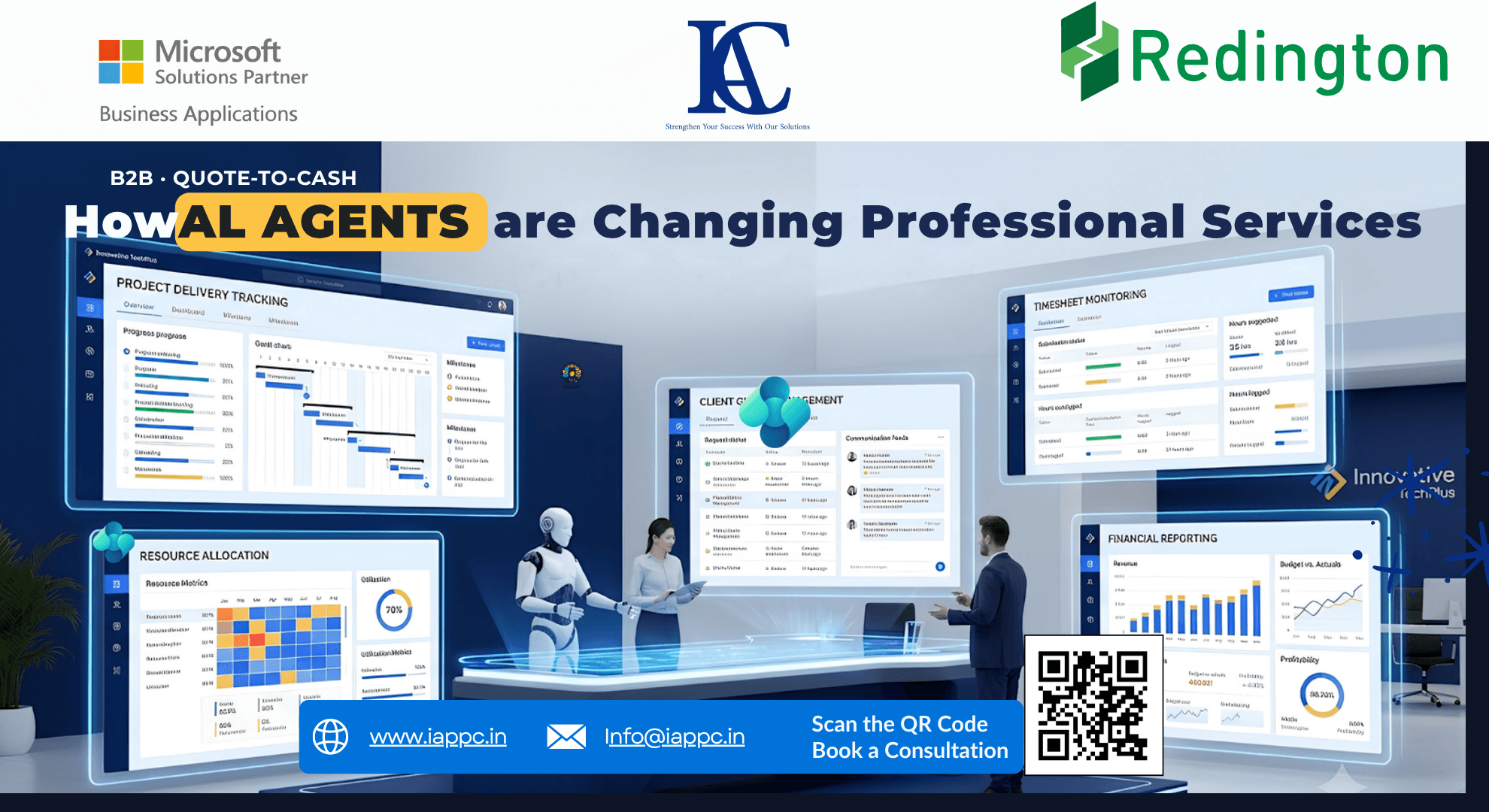
Introduction: From AI Assistance to Action
Professional services firms deal with a familiar set of problems. Projects run over budget, consultants get stretched across multiple engagements, timesheets arrive late, and invoices remain pending because someone is waiting for an update.
Most firms already have systems to manage these activities. The problem is that information often sits across different applications, and teams still spend hours connecting the dots.
AI is beginning to change this.
Tools such as Microsoft Copilot Studio, Power Automate, and Microsoft Dynamics 365 Business Central can help firms identify operational issues, coordinate tasks, and reduce manual follow-ups. With the right integrations and permissions, AI agents can do more than answer questions. They can monitor business events, prepare recommendations, and initiate approved actions.
For consulting firms, IT service providers, accounting practices, and business advisory companies, this creates an opportunity to improve project visibility without adding more administrative work.
The real question is where these agents can make a measurable difference.
1. AI Agents vs. Traditional Automation: What's the Difference?
Traditional automation works well when a process follows a predictable pattern.
For example, a firm might configure a rule that alerts the project manager whenever actual hours exceed the approved project budget by 10%.
The rule identifies the problem. Someone still needs to investigate it.
An AI-assisted workflow can take the analysis further. It can compare recorded hours with planned effort, review outstanding project tasks, identify resource constraints, and summarize the factors contributing to the overrun.
The project manager receives more than an alert. They get information that can help them decide what to do next.
Depending on the connected systems, the workflow might also prepare a revised resource plan or flag a potential change request for client approval.
There is an important distinction here: AI can help interpret the situation, but it should not be expected to make every decision correctly. Project data can be incomplete, and a delay may have contractual or client-related causes that aren't visible in the system.
The best approach combines automated analysis with human judgment.
2. Where AI Agents Can Help Professional Services Firms
Project monitoring and profitability
A project can appear healthy in a status meeting while its margins are already under pressure.
Unplanned work, repeated revisions, delayed client inputs, and underestimated effort can gradually increase delivery costs.
An AI agent connected to project and financial data can flag unusual spending patterns, compare actual hours against estimates, and identify projects that need attention.
For example, if an implementation project has consumed most of its planned consulting hours but still has several milestones outstanding, the agent can notify the delivery manager and prepare a variance report.
The manager can then investigate whether the issue requires additional resources, a revised delivery plan, or a discussion about the project scope.
Earlier visibility gives the firm more time to respond before a small variance becomes a serious profitability problem.
Resource planning and utilization
Resource planning becomes difficult when consultants work across several projects, each with different deadlines and skill requirements.
Managers often rely on spreadsheets, status calls, and messages to understand who is available and where additional support is needed.
An AI agent can compare upcoming project requirements with available capacity and relevant skill information, provided those records are connected and maintained.
It can flag scheduling conflicts, identify potential resource gaps, and recommend assignments for the resource manager to review.
This can be particularly useful for IT consulting firms and implementation partners handling several client engagements at once.
The goal isn't to keep every employee occupied at all times. It is to make better staffing decisions while protecting delivery quality and avoiding unnecessary pressure on teams.
Client queries and service requests
Client communication creates another source of operational overhead.
A request might arrive by email, refer to an ongoing project, require input from a technical specialist, and need a response before a contractual deadline.
An AI-assisted workflow can classify the request, connect it to the relevant client or project, retrieve approved internal information, and route it to the right person.
For routine queries, it may prepare a response for review. More complex requests can be assigned to the appropriate specialist, with escalation reminders where necessary.
This is especially useful for managed service providers, technology consultants, and firms that handle a high volume of ongoing client requests.
Client-facing decisions still need appropriate oversight, particularly when a response could change the agreed scope, timeline, or commercial terms.
Timesheets, expenses, and invoicing
Administrative delays can affect cash flow even when project work has been completed.
Consultants may forget to submit timesheets. Expenses may remain unapproved. A completed milestone may not reach the finance team in time for invoicing.
An AI agent can identify missing records, remind the relevant employees, and flag completed milestones that may be ready for billing.
Where the necessary integrations are available, it can also prepare billing information for the finance team to check.
For firms managing multiple engagements, reducing the time between completed work and invoice preparation can improve billing discipline and make outstanding financial tasks easier to track.
3. Keeping AI Under Control
Giving an AI agent access to business systems requires careful planning. Professional services firms handle confidential client information, financial records, employee data, and contractual commitments. An incorrect action can have consequences beyond a simple administrative error.
A practical deployment should define exactly what an agent is allowed to do.
Read and analyze: The agent can summarize project status, identify missing information, and flag delivery risks.
Prepare recommendations: It can draft client responses, suggest resource assignments, and prepare project variance reports for review.
Perform approved tasks: Where the technology supports it, the agent can create tasks, send internal reminders, route approvals, or update designated records within its assigned permissions.
Request human approval: Changes to contractual terms, material financial commitments, sensitive client communications, and other high-impact decisions should follow established approval procedures.
Security must be built into the workflow. Access should be limited to the information and actions required for the agent's role. Firms should also maintain appropriate records of the data used, actions attempted, approvals received, and changes made.
Testing is equally important. Before an agent is allowed to affect live business records, the firm should test how it handles incomplete information, duplicate requests, failed integrations, and recommendations that don't match the available evidence.
Automation should make processes more dependable, not simply make mistakes happen faster.
4. How to Measure the Business Impact
AI projects are easier to justify when they address a specific operational problem.
Rather than starting with a target percentage for productivity improvement, professional services firms should establish their current performance and measure what changes after deployment.
Consider a firm that spends several hours each week collecting project updates from delivery managers.
A workflow that gathers approved project information and prepares a consolidated report could reduce that administrative burden. The firm can compare the time spent before and after implementation to determine whether the change is worthwhile.
The same principle applies to billing follow-ups, resource planning, and client query management.
Results will depend on data quality, process design, integration effort, and employee adoption. Firms should validate the benefits through a controlled pilot before expanding the solution.
5. The Role of Microsoft Dynamics 365 Business Central
Business Central can provide the financial and operational foundation for professional services firms that manage relevant project, resource cost, budgeting, and invoicing processes within the platform.
AI workflows can extend this foundation by connecting business information with the tasks that employees perform every day.
A typical architecture may include:
Microsoft Dynamics 365 Business Central for financial management and supported project-related processes.
Microsoft Copilot Studio to build agents that work with approved knowledge sources, connectors, and actions.
Microsoft Power Automate to trigger workflows, coordinate applications, and route approvals.
Microsoft Azure AI services where additional AI capabilities are required.
Microsoft Entra ID and application permissions to control access to connected systems.
The exact setup depends on the firm's existing Business Central configuration, integrations, licensing, and business requirements. Some workflows will require additional development or third-party connections.
There is no need to introduce an agent into every process. A better starting point is to identify one repetitive, measurable problem and establish whether AI can solve it reliably.
Frequently Asked Questions
What can AI agents do for professional services companies?
They can assist with project monitoring, resource planning, client query routing, timesheet reminders, billing preparation, and management reporting. Their capabilities depend on the data and systems they can access.
Can AI agents integrate with Microsoft Dynamics 365 Business Central?
Yes. Integration can be implemented through supported connectors, APIs, and workflow automation. The available actions depend on the Business Central setup and the chosen agent architecture.
Do we need to replace our existing ERP system?
Not necessarily. Firms may be able to add AI workflows to their current Business Central environment or connect agents to other existing business applications. A technical assessment will establish what can be reused and what needs to change.
How do we protect confidential client data?
Use restricted permissions, approved data sources, appropriate identity controls, audit records, and clear rules for data sharing and retention. Test the solution against the firm's confidentiality and security requirements before deployment.
Should AI agents operate without human supervision?
Only for tasks that have been assessed as suitable for automation and have clear boundaries. Material financial decisions, contractual changes, and sensitive client matters should remain subject to the firm's approval policies.
Conclusion: Start With the Operational Problems That Matter
For professional services firms, the value of AI agents lies in helping people spend less time chasing updates and more time delivering work to clients.
Better visibility into project costs, resource availability, client requests, and billing activities can help managers identify problems sooner. Connected workflows can then reduce the manual effort required to address them.
But the technology alone won't fix fragmented processes or unreliable data. Firms need a clear use case, appropriate system access, defined approval rules, and a way to measure the outcome.
At Innovative TechPlus, we help businesses assess how Microsoft Dynamics 365 Business Central, AI, and workflow automation can support their operational goals.
If your team is spending too much time on project reporting, coordination, or repetitive financial administration, start by identifying one workflow that needs attention.
Let's assess whether an AI-enabled ERP workflow is the right fit for your business.